Let's Talk Books
26 years of Audible listening, mapped over time
Every book I've listened to on Audible — from The Hitchhiker's Guide to the Galaxy in May 2000 to this week — visualized as flowing streams across 26 years. Watch genres rise and fall. See authors cluster and fade. Find the series I couldn't stop listening to. Click any stream to see the actual books with links to Audible and Amazon.
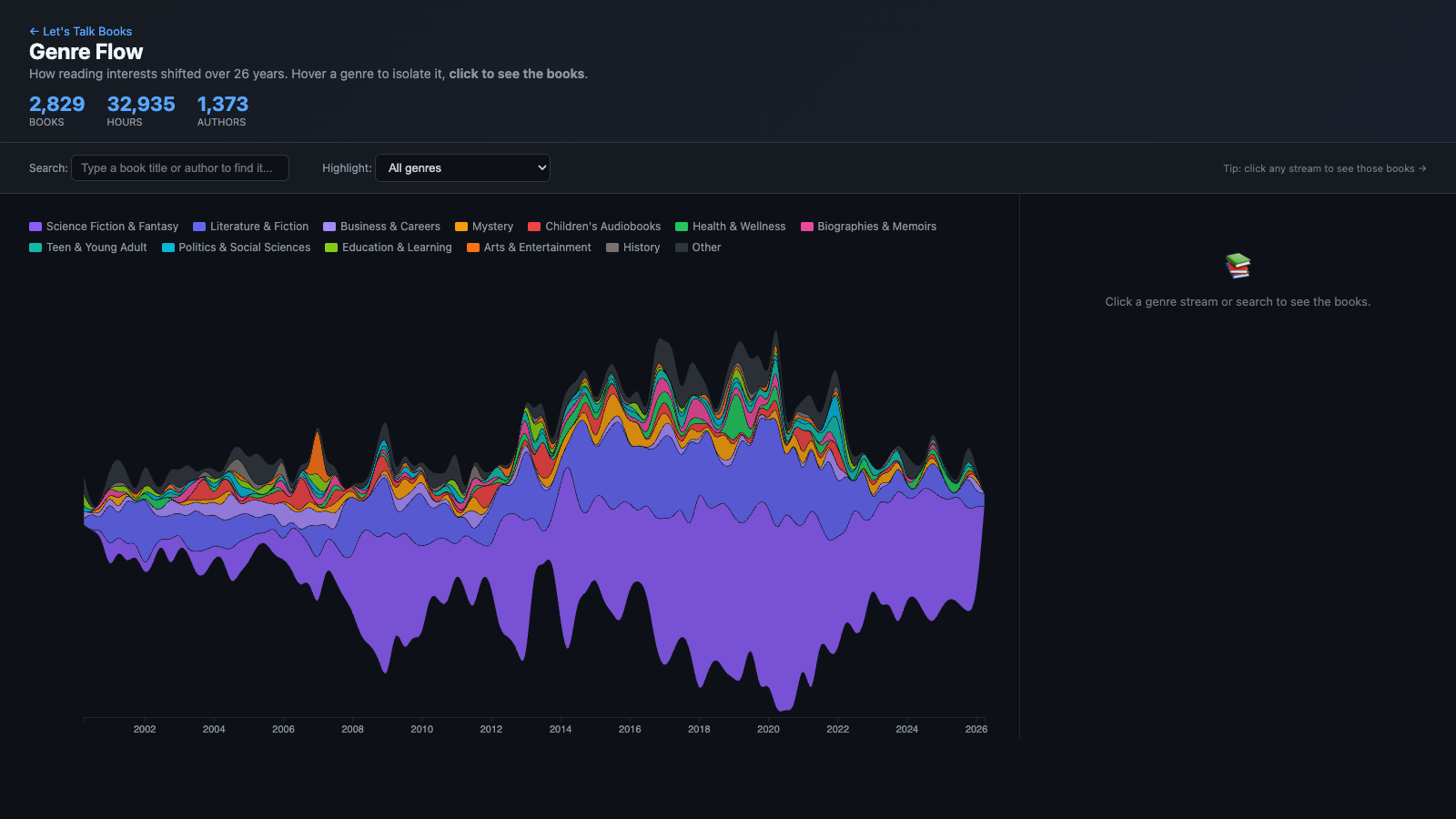
Genre Flow
A streamgraph of how my reading interests shifted over 26 years. Sci-Fi dominated early; Fantasy surged in the 2010s; Business and History weave through. Hover to isolate a genre, search to find a book, or click any stream to see the actual books.
Open Genre Flow →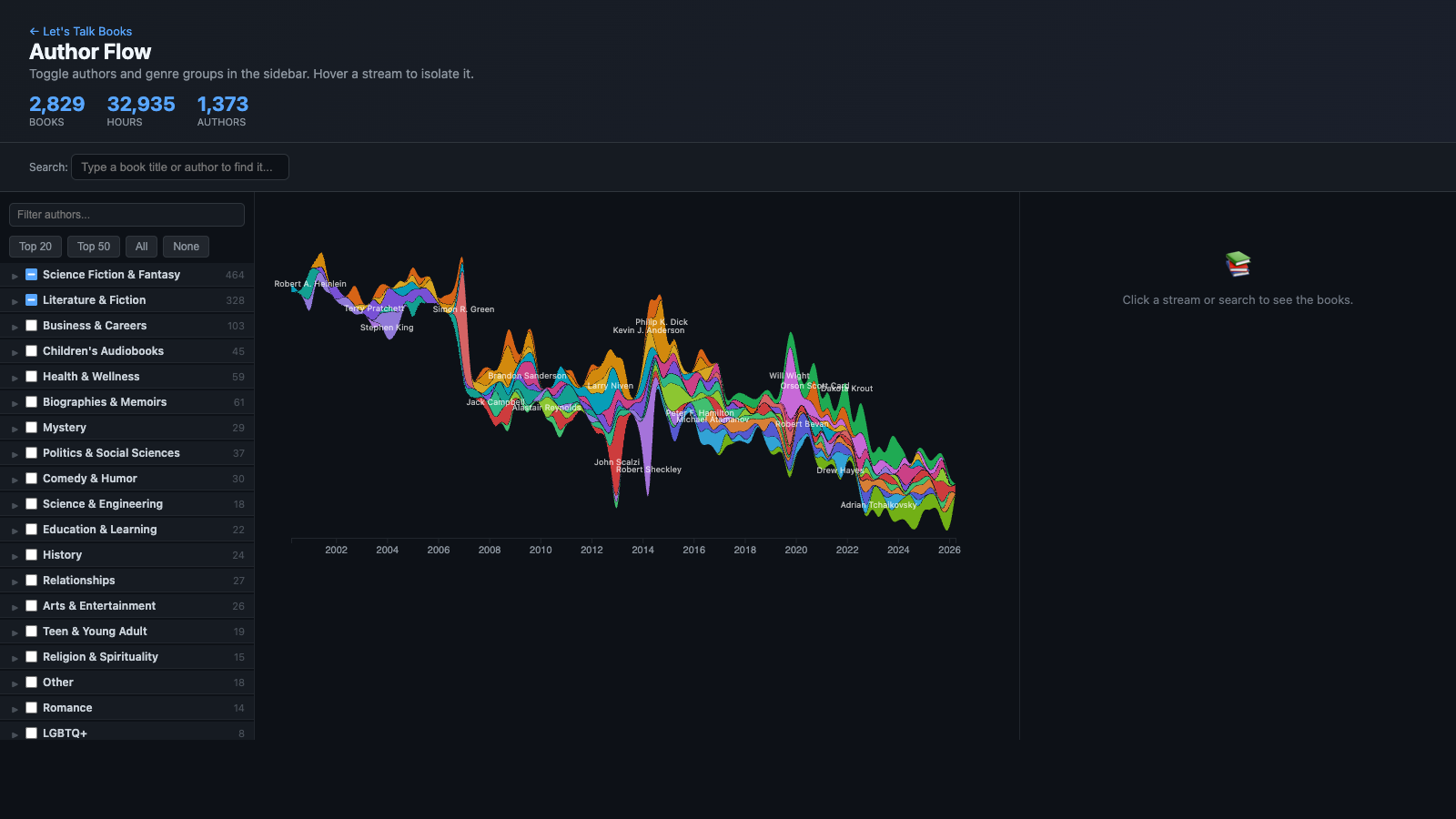
Author Flow
The same streamgraph idea, but for individual authors. A genre-sorted sidebar lets you toggle authors and groups on/off — see Philip K. Dick ebbing across decades, Dakota Krout explode in 2020, Terry Pratchett steadily present throughout. Click any stream to see that author's books.
Open Author Flow →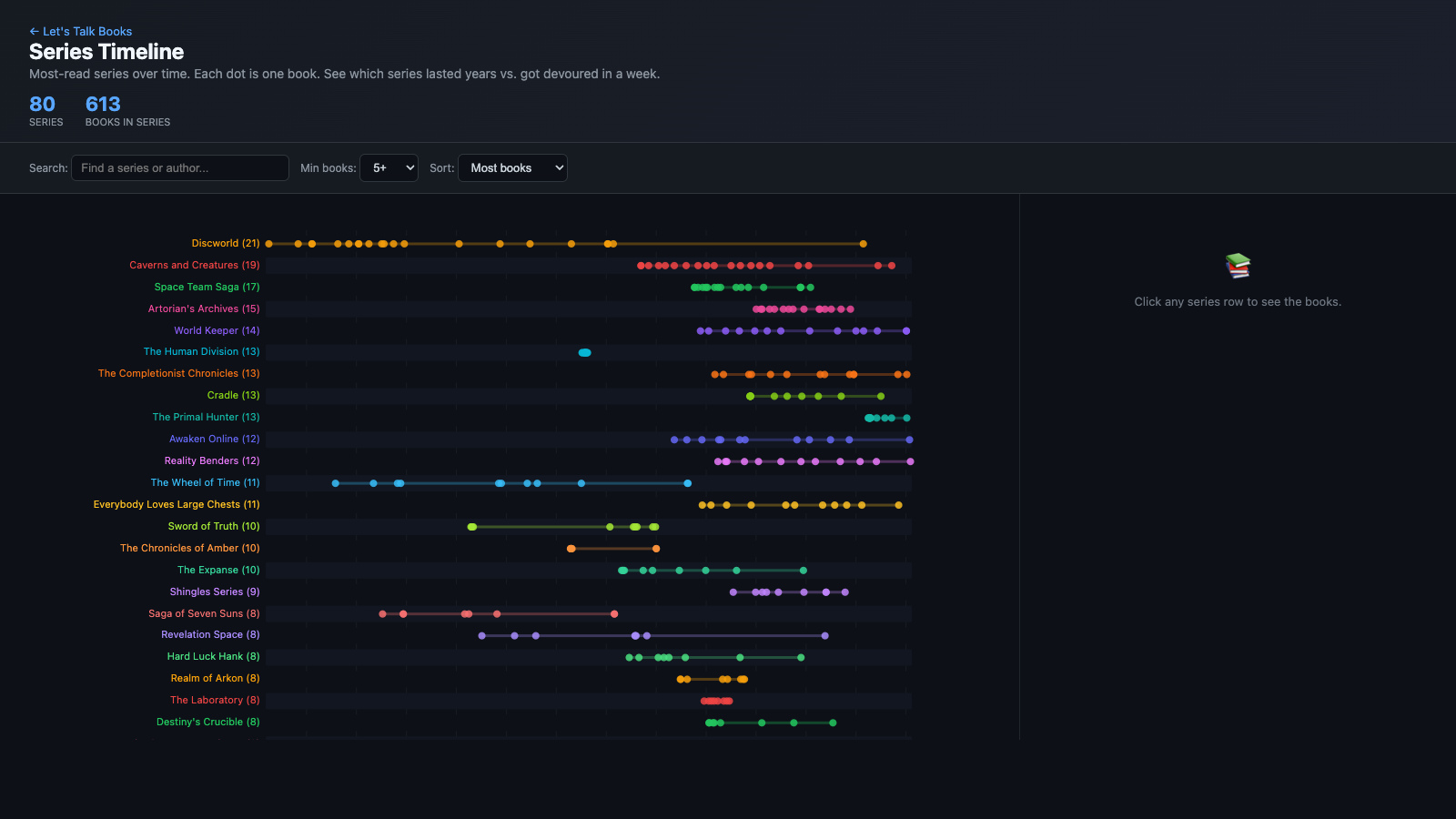
Series Timeline
My most-read series laid out as horizontal timelines. Each dot is one book. See which series I stuck with for decades (Discworld spans nearly the whole chart) vs. which I devoured in a week. Sort by book count, earliest start, or longest span. Click any row to see the books in that series.
Open Series Timeline →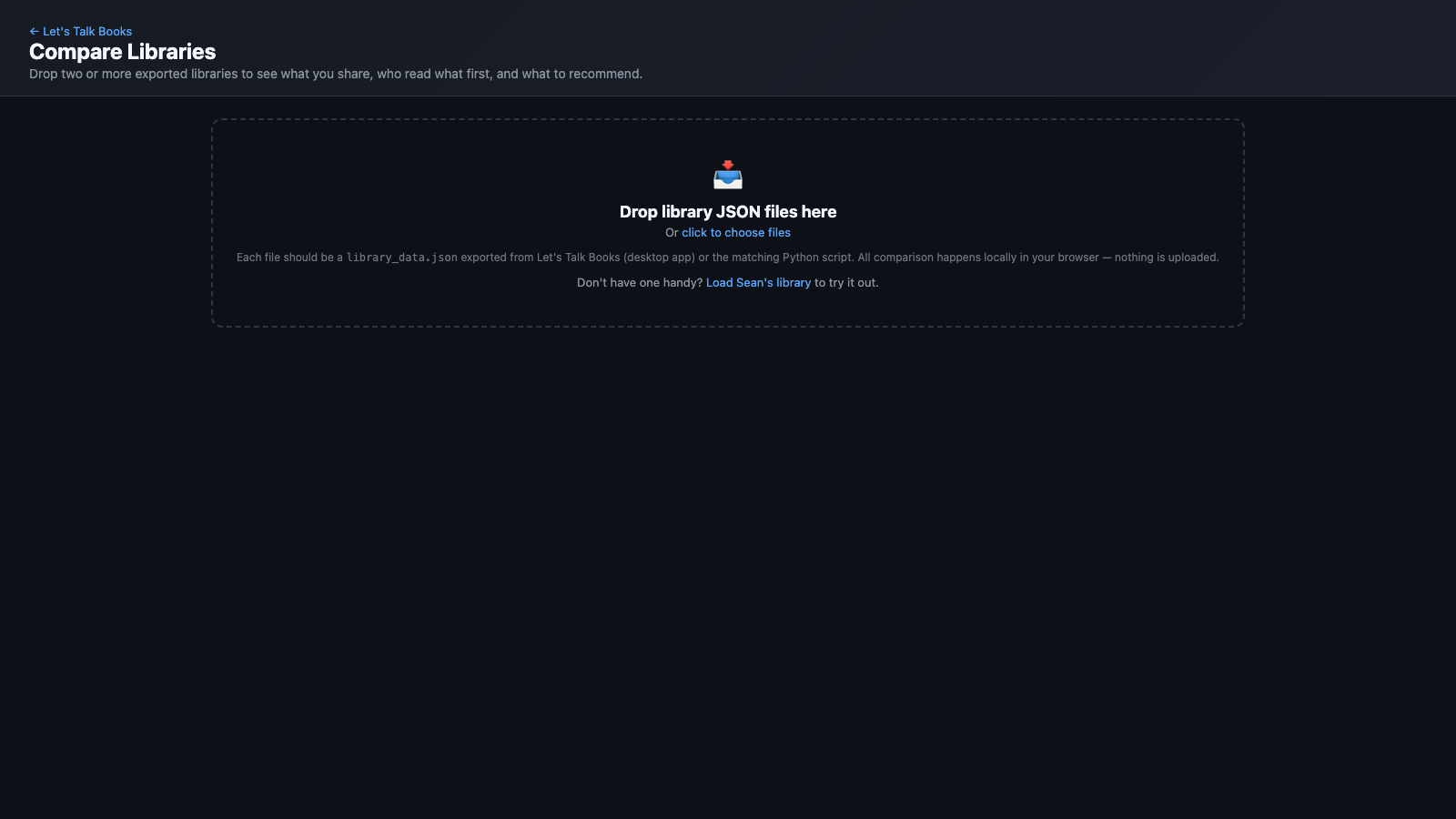
Compare Libraries
Drop two or more exported libraries on the page and see what you share, who read what first, and what to recommend. Matches books by ASIN (or title+author as fallback). Views for shared books, recommendations, shared authors, unique finds, and a shared timeline. Every book links directly to Audible or Amazon.
Open Compare →📥 Make Your Own Map
Download the desktop app — it connects to your Audible account, fetches your library, and produces the same visualizations with your books. Everything runs on your machine; no data is uploaded anywhere.
How to use it
- Download the DMG and drag the app to
/Applications - First launch: macOS shows the standard "app downloaded from the Internet" dialog — click Open. (The app is signed with an Apple Developer ID and notarized by Apple, so no scary Gatekeeper warnings.)
- The app installs a helper tool (
audible-cli) in its own isolated Python environment. No system packages touched. - Click "Connect to Audible" — opens your real browser for Amazon login. Sign in like normal.
- After login, the app fetches your library (30 sec to a few minutes) and shows your map.
- From the app, you can export your
library_data.json— drop it into the Compare page to match against a friend's.
Platforms: Apple Silicon Mac, Windows x64, and Windows ARM64 installers are available. Intel Mac and Linux builds aren't packaged yet — if you're on those, you can run from source (it's about three commands).
Windows first-run: SmartScreen will warn that "Windows protected your PC" because the installer isn't signed with a Windows code-signing cert. Click "More info" → "Run anyway" to proceed.
Buy Sean a Rockstar
If this mapped out your reading life nicely, you can fuel the next project with a Rockstar energy drink.